Product | Agentic App Builder

Design and edit the GTM apps your team actually needs.

psi* lets founders and CROs describe the workflow they want, turn it into a working app, and keep refining it as the motion changes. The same app can then be published for the team and used natively by flows and agents.

Start from a real GTM surface like campaign setup, enrichment, scoring, or outbound review instead of rebuilding around disconnected tools and brittle handoffs.

40+ components, branch-based changes, and one runtime for apps, flows, and agents.

Builder authoring

Build the app with the agent, the component library, and a branch-safe release path.

psi* is not just a prompt box. It gives your team a working authoring surface for shaping GTM apps that fit the company and keep evolving with it.

Agentic App Builder

Move from prompt to working GTM app, then keep refining it safely.

Agentic builder snapshot
Agentic builder prompt -> app

Describe the app your team needs, then edit the result in place.

Start from a working GTM app and keep reshaping fields, tables, flows, and actions as the motion changes.

  • Start from a real GTM template
  • Edit the working app with the agent
  • Keep the app close to the motion
Campaign Manager authoring setup -> research -> enrichment -> scoring -> pipeline
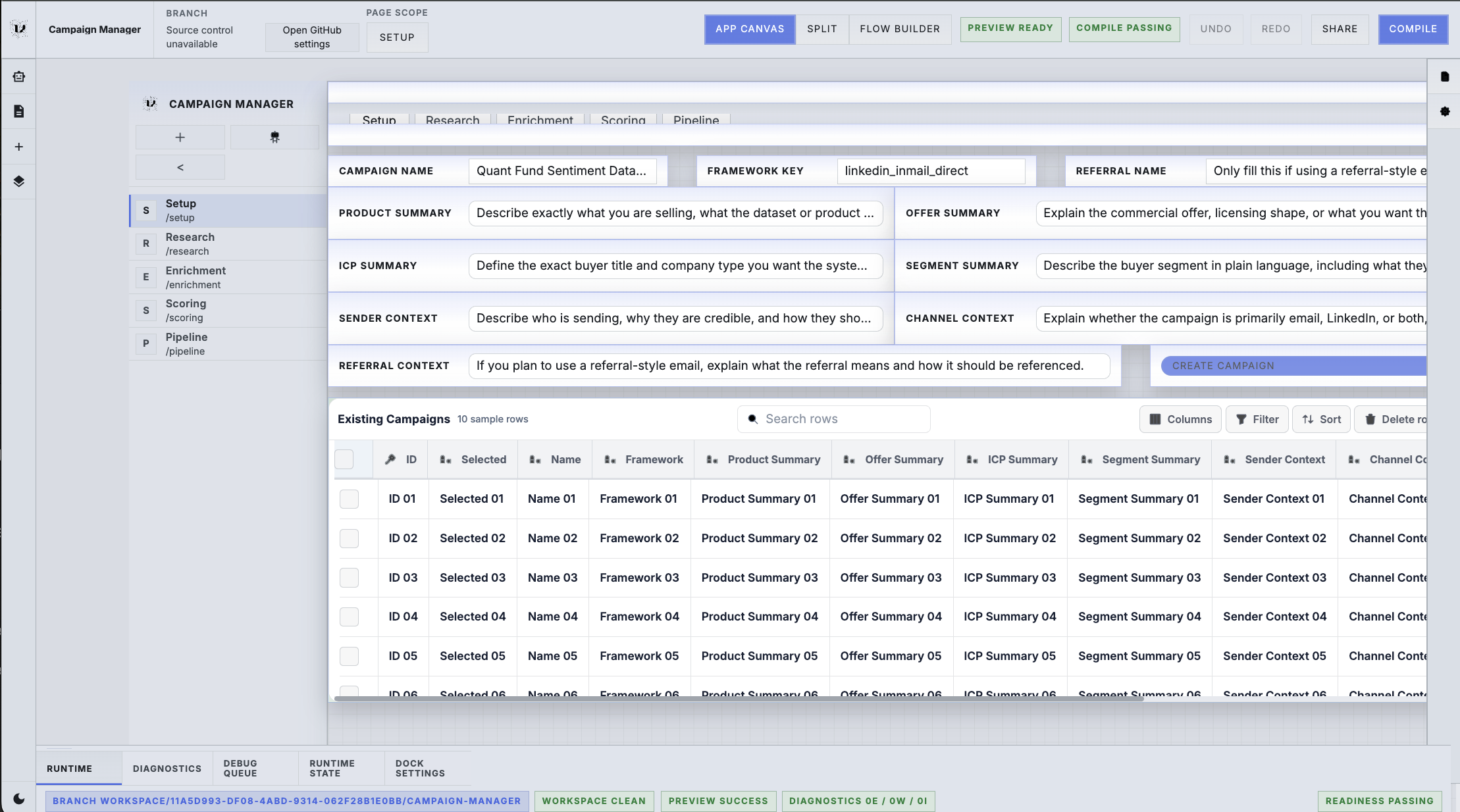
Campaign Manager app builder view with editable setup fields, stage navigation, and the authoring canvas.
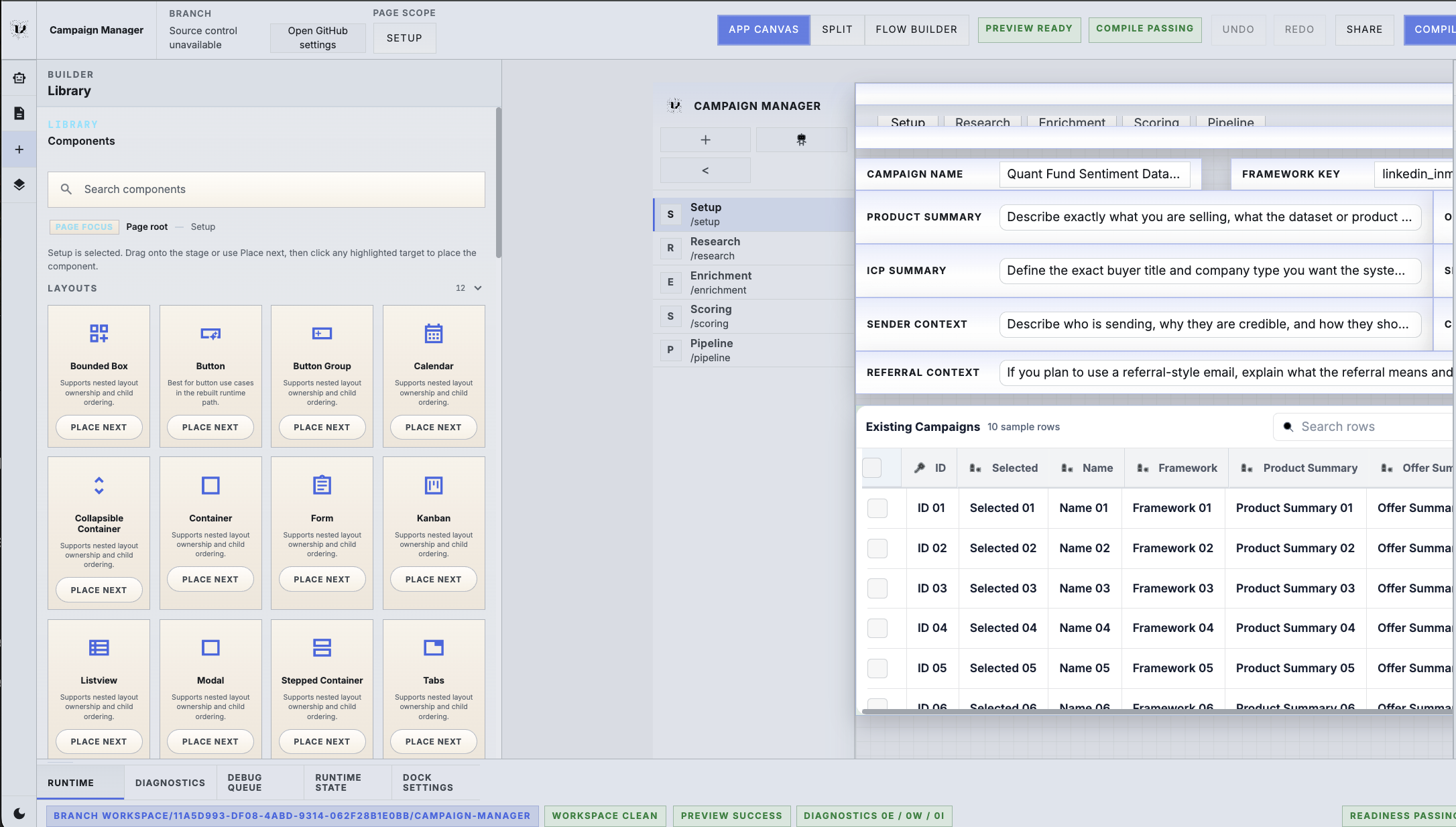
Component library 40+ blocks

Use a component library and simple grid instead of bespoke front-end work.

Build lead forms, opportunity pages, deal views, dashboards, and review screens from reusable primitives.

  • Lead forms and intake pages
  • Opportunity and deal workspaces
  • Dashboards and review queues
Builder canvas tables, forms, banners, actions, metrics
Builder component library showing reusable UI blocks beside the Campaign Manager authoring canvas.
Source control branch-safe

Test changes on branches before you touch the live app.

psi* keeps app changes source controlled so teams can try new layouts, logic, and runtime behavior without destabilizing operations.

  • Safer iteration for lean teams
  • Try new workflows without drift
  • Keep release control visible
Branch workflow draft branch -> review -> publish
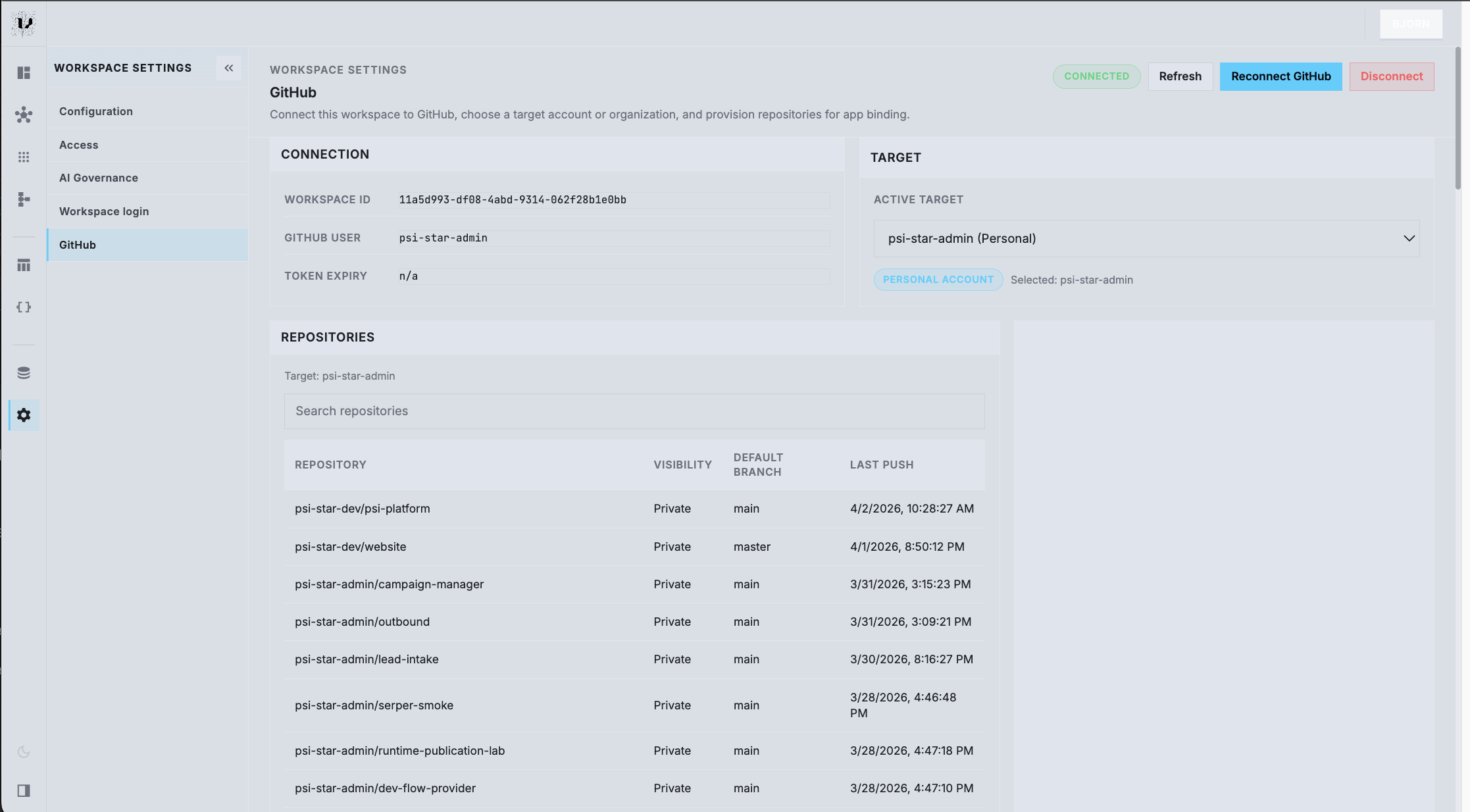
Workspace GitHub settings showing repository connection, target selection, and branch-aware publishing setup.

How it works

Build and publish the app. Run it on one runtime.

psi* gives your team one system for shaping the app, publishing the working surface, and letting flows and agents operate on the same runtime contract.

Authoring

Author the app around the motion you already run.

Describe the workflow you want, generate the first working app, then keep editing fields, layouts, actions, and data bindings as the company changes.

Open authoring view

Publication

Publish the exact surface your team should use.

Release a clean operating screen for sellers, operators, finance, or leadership without rebuilding the workflow somewhere else.

Open publication view

Runtime

Let the runtime power the team, the flows, and the agents.

The published app can surface live context to the team while orchestration, cron jobs, and agents use the same runtime primitives behind the scenes.

Open runtime view

Platform primitives

Purpose-built for GTM work, not generic internal tooling.

Start with concrete GTM software, then keep making it more specific to your company instead of settling for one-size-fits-all systems.

Build with a real component library

Use forms, tables, metrics, banners, actions, and dashboards to create lead forms, opportunity pages, deal views, and operating screens.

Use a simple layout system

Arrange working pages quickly on a clean grid so small teams can ship usable app surfaces without bespoke front-end work.

Edit with the agent

Tell psi* what needs to change and keep refining the working app until it matches the way your company actually sells.

Connect production systems safely

Read from and write to the systems that already hold customer, pipeline, campaign, and finance state.

Keep changes source controlled

Save work to branches, compare drafts, and publish the version you actually want live.

Run the same app for teams and agents

The published surface is not separate from automation, so flows and agents can use the same runtime instead of a parallel control plane.

One connected motion

One builder can own the path from signal to campaign to outbound.

Each stage can be run by the team, by flows, or by agents, while the shared runtime keeps the handoffs explicit and the state aligned.

  1. 01

    Capture and normalize the signal

    Lead Intake turns raw submissions, referrals, or opportunity notes into clean company and opportunity state.

    Flows recover and normalize the raw data before routing opens
  2. 02

    Choose the campaign

    The team or the automation layer can assign the right campaign so downstream work opens with a clear owner.

    Campaign selection becomes a governed handoff, not a spreadsheet step
  3. 03

    Run setup, research, and enrichment

    Campaign Manager uses the selected campaign to drive research, source people, refresh company context, and enrich leads.

    The app and the flows work from the same campaign state
  4. 04

    Score and monitor readiness

    The same runtime scores leads, tracks readiness, and makes outbound eligibility visible without exporting data into side systems.

    Team actions and AI actions stay aligned on one contract
  5. 05

    Review and launch outbound

    Outbound picks up only the leads that are ready, preserving context from the earlier stages instead of recreating it at the last mile.

    Downstream execution gets a cleaner, richer handoff

Get started

Start with the GTM app closest to revenue, then keep shaping it as the motion evolves.